The first Idea
My initial approach was to calculate an offset to be added to the player’s position. To begin with, I disregarded the y-component and set the offset in the y-direction to zero. For the other two directions, it was necessary to devise a metric that incorporated information on the effort expended by the player in moving forward. The x-position of the controller was found to be of limited use as it did not provide additional insights. I therefore decided to calculate the offset using the speed of the controllers, as this contains information about the effort: if the player moves the controllers faster, they are exerting more effort to move and therefore want to move faster. I calculated the average speed of both controllers and set it as the offset. Since the direction in which the controllers move is contrary to the movement the player is experiencing, I had to change the direction of the speed of the controllers. The speed of the controller can be retrieved via the following code: OVRInput.GetLocalControllerVelocity(Controller). As this initial approach does not involve any physics, it was implemented in the Update-function.
public OVRInput.Controller leftController;
public OVRInput.Controller rightController;
[SerializeField] private bool isIndexTriggerDown;
[SerializeField] private Vector3 offset;

private void Upadet(){
    leftTriggerValue = OVRInput.Get(OVRInput.Axis1D.PrimaryIndexTrigger, leftController);
    rightTriggerValue = OVRInput.Get(OVRInput.Axis1D.PrimaryIndexTrigger, rightController);

    if (leftTriggerValue > 0.95f && rightTriggerValue > 0.95f){
        isIndexTriggerDown = true;

        velocityL = velocityL + OVRInput.GetLocalControllerVelocity(leftController);
        velocityR = velocityR + OVRInput.GetLocalControllerVelocity(rightController);

        offset.x = -(velocityL.x + velocityR.x) / 2;
        offset.y = 0;
        offset.z = (-(velocityL.z + velocityR.z) / 2);
    }
    else{
        isIndexTriggerDown = false;
        offset = Vector3.zero;
    }
        transform.position = transform.position + offset;
}
Modifications to make it feel better
This basic approach proved to be effective. However, there were some issues that arose: Firstly, it did not feel very natural. Secondly, the alterations made to the direction were not entirely successful. Ultimately, it became apparent that it was unnecessary for the player to swim in order to move.
In order to make the motion feel more natural, the offset was changed to a force that is applied on the player. All subsequent calculations were therefore executed using Unity’s FixedUpdate function.
public OVRInput.Controller leftController;
public OVRInput.Controller rightController;
[SerializeField] private bool isIndexTriggerDown;
[SerializeField] private Vector3 offset;
public Rigidbody player;

private void FixedUpadet(){
    leftTriggerValue = OVRInput.Get(OVRInput.Axis1D.PrimaryIndexTrigger, leftController);
    rightTriggerValue = OVRInput.Get(OVRInput.Axis1D.PrimaryIndexTrigger, rightController);

    if (leftTriggerValue > 0.95f && rightTriggerValue > 0.95f){
        isIndexTriggerDown = true;

        velocityL = velocityL + OVRInput.GetLocalControllerVelocity(leftController);
        velocityR = velocityR + OVRInput.GetLocalControllerVelocity(rightController);

        offset.x = -(velocityL.x + velocityR.x) / 2;
        offset.y = (-(velocityL.y + velocityR.y) / 2);
    }
    else{
        isIndexTriggerDown = false;
        offset = Vector3.zero;
    }
        player.AddForc(offset, ForceMode.VelocityChange);
}
This significantly enhanced its realism. However, I had not taken the water resistance into account. To simulate this, a drag was added to the player. I then refined the magnitude of the force and the drag to create a realistic sensation of swimming.
player.AddForce(offset * speed, ForceMode.VelocityChange);
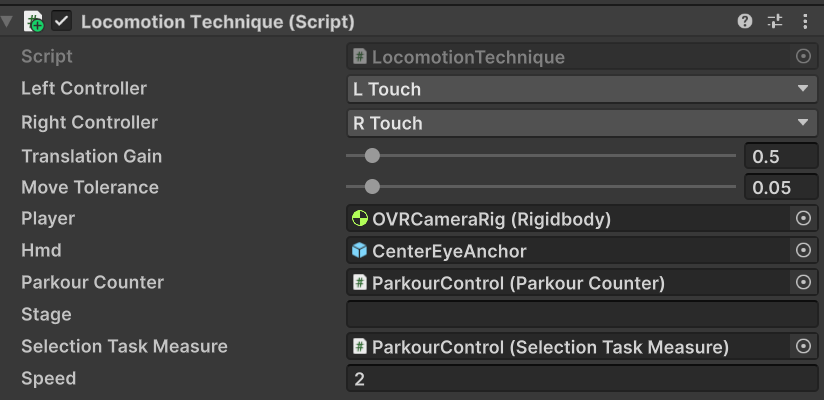

I then had to address the issue of changing direction. In my initial approach, I neglected to consider both local and global coordination systems. After realising this oversight, I sought a method to calculate the correct controller position relative to the player. I therefore calculated the position at which the controllers were furthest away from the player. The line between this point and the player defines the direction of movement.
[SerializeField] private Vector3 furthest;
private double resetDist = 2;

conPosL = OVRInput.GetLocalControllerPosition(leftController);
conPosR = OVRInput.GetLocalControllerPosition(rightController);

Vector3 playerPos = Vector3.zero;
double diL = Dist(playerPos, (conPosL + conPosR) / 2);

if (diL > furthestDistance){
    furthestDistance = diL;
    furthest = (conPosL + conPosR) / 2;
}
else if (diL < resetDist){
    furthest = Vector3.zero;
    furthestDistance = 0;
}
Vector3 dVec = furthest - playerPos;

float distL = PointDist(new Ray(playerPos, dVec), conPosL);
float distR = PointDist(new Ray(playerPos, dVec), conPosR);

bool doMove = (Math.Abs(distL - distR));
private double Dist(Vector3 playerPos, Vector3 conPosL){
    return Math.Sqrt(Math.Pow(playerPos.x - conPosL.x, 2) + Math.Pow(playerPos.z - conPosL.z, 2));
}
private float PointDist(Ray ray, Vector3 point){
    return Vector3.Cross(ray.direction, point - ray.origin).magnitude;
}
Due to even the slightest controller movements causing movement in the game, a buffer has been incorporated to ensure stability.
[Range(0, 1)] public float moveTolerance = 0.05f;

bool doMove = (Math.Abs(distL - distR) < moveTolerance);
In order to encourage players to adopt a proper swimming motion, I checked if the controllers were moving apart. Should this be the case, the force is applied to the player. Initially, this was checked in FixedUpdate; however, this approach did not yield the desired results, so the method has now been changed to Update.
private float distController = 0;
private bool distChange = false;

float distTemp = (conPosL - conPosR).magnitude;

if (distTemp - distController > 0.5){
    distController = distTemp;
    distChange = true;
}
else{
    distController = 0;
    distChange = false;
}
Initially, the locomotion technique was only implemented in 2D. However, given that the parkour is three-dimensional, it should also be possible to perform the movement in three dimensions.